

INTRODUCTION:
Rahul was a hardworking school student who wanted to use his phone for studying and even start a small hustle for income. But instead of helping him, his phone became a constant source of frustration. Apps lagged, the screen froze at the worst moments, and even simple tasks felt heavy and slow. With a few months still left before he could buy a new phone, Rahul began to worry. He thought maybe he had damaged it or a virus had entered. Fear grew in his mind. What if the phone stopped working completely? He tried everything he knew, deleting apps, clearing photos, restarting again and again, but nothing seemed to fix the problem.
Finally, he went to his friend who was interested in technology and mechanics. After listening to everything, his friend asked a simple question, “When was the last time you cleared your cache?” Rahul paused in confusion, “Cache? What is that? And how can it affect my phone’s performance?” At that moment, Rahul realized the issue might not be as big as he thought; it was just something hidden inside his phone that he had never understood before.
WHAT IS CACHE?
His friend smiled and explained, “Cache in your phone is like keeping everyday things within easy reach.” Rahul looked confused, so he gave a simple example: “Imagine your study table, where you keep your most-used books, pens, and notes right there, so you don’t have to go to the cupboard again and again. This saves time and makes your work faster. In the same way, your phone stores small pieces of data like images, scripts, and app files in a temporary space called cache. This helps apps load faster, reduces internet usage, and improves overall performance.” Rahul nodded. Now it makes sense why cache is actually useful.
But Rahul still had a doubt “If cache is good, then why is my phone slow?” His friend explained further, “Just like your study table, if you never clean it, old and useless books pile up and make it messy. Then instead of helping, it slows you down.” In the same way, excessive or outdated cache keeps collecting in your phone over time. This fills storage, causes apps to lag, and reduces performance. “That’s your real problem,” his friend said. Now, Rahul wasn’t just relieved, he was curious. He wanted to understand more deeply how the cache actually works and how it impacts his phone from the inside.
HOW CACHE WORK?
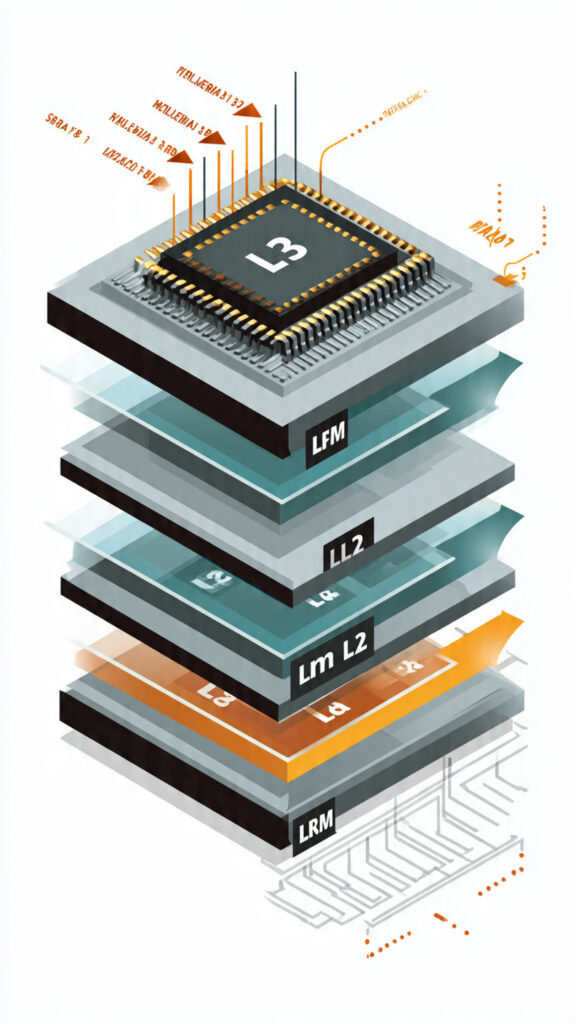
Rahul’s friend smiled and said, “Let me explain it step by step using your own phone.” He began, “When you buy a new phone, it has no cache stored inside. So when you open an app for the first time, it sends a request through the internet to a server. The phone downloads everything: fresh images, layouts, scripts, and data. This uses full CPU power, RAM, and internet bandwidth, which is why the first load feels slow.” He continued, “After that, your phone intelligently saves some of this frequently used data in a temporary storage called cache. So next time you open the same app, instead of downloading everything again, it quickly loads data from this cache. If the data is already available cache hit, which allows the app to open faster. If something is missing, a cache miss only that part is downloaded, making the process much more efficient.”
Then he explained the real problem: “This system keeps repeating every time you use apps. New data keeps getting added to the cache, but old data is not always removed properly. Over time, this creates unnecessary buildup just like a messy study table. This extra cache starts taking up storage, increasing memory usage, and slowing down your phone.” He added, “Your phone does try to manage it using methods like removing least-used data, but it’s not perfect. That’s why clearing cache manually becomes important; it removes junk files and helps your phone run smoothly again.” Rahul finally understood why his phone slowed down over time. But now, his curiosity grew even more. How does all this actually impact his daily use and performance in real life?
CONCLUSION:
In the end, the truth is simple: cache is not the enemy. It is designed to make your phone faster by storing temporary data and reducing load time. But when it is ignored for too long, it slowly builds up, taking space and affecting performance. Just like in real life, even useful things can turn into problems if they are not managed properly. This is exactly what happened with Rahul; his phone wasn’t getting old. The real issue was something small he had been overlooking all along.
Once Rahul understood this and started clearing and managing his cache, everything changed. His phone felt lighter, faster, and smoother again. So before blaming your phone or spending money on a new one, fix what’s already inside it. Because sometimes, the difference between slow and fast isn’t a new device, it’s a smarter user.
KNOW MORE:
INTERNAL LINKS:
https://techman.live/wp-admin/post.php?post=426&action=edit
https://techman.live/wp-admin/post.php?post=412&action=edit
EXTERNAL LINKS: