
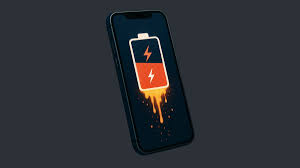
INTRODUCTION:
At night, you charge your phone to 100% and go to sleep, thinking it will easily last the whole next day without any charging issues. But when you wake up in the morning, you see the battery has dropped to 60%. Your mood instantly goes off. You start thinking, “I didn’t even use my phone… so how did it drain? Is my battery getting weak?” Confused, you visit a friend who works at a mobile repair shop and show him your phone.
After checking it, he tells you something surprising that your battery is not the real problem. He explains that even when the screen is off, your phone is still active. Background apps keep running, network signals keep searching, and system processes continue working silently, all consuming battery without your knowledge. This hidden activity is the main reason behind overnight battery drain. Hearing this, you become curious to understand more. In this article, you’ll learn the real reasons why your phone battery drains overnight, what’s happening inside your device, and simple ways to fix it and improve your battery life.

BATTERY DRAIN REASON:
Imagine you come back home from work, and your phone battery is at 100%. It’s around 11 PM, so you relax, watch a few reels, reply to some messages, and use your phone for a short time. Then you go to sleep, thinking your battery will easily last till morning. But when you wake up at 7 AM, you check your phone and the battery is already at 60%. You didn’t use your phone at night, so this feels confusing and frustrating.
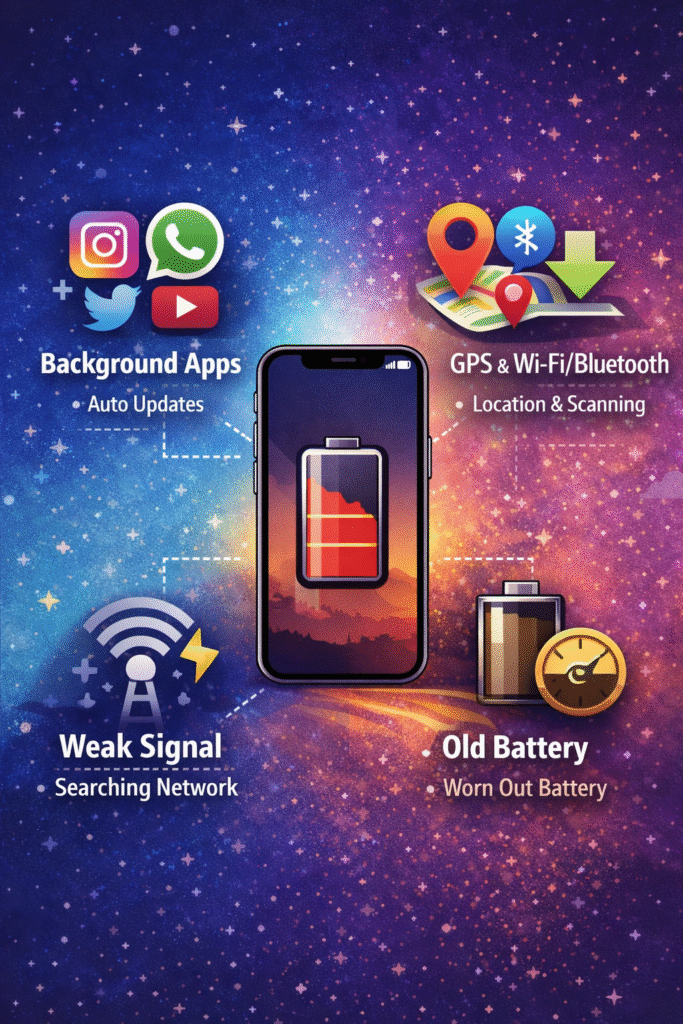
The truth is, your phone stayed busy the whole night. Just like a shop that looks closed from the outside but workers are still inside doing tasks, your phone keeps running multiple hidden activities. Apps like Instagram refresh new content, WhatsApp checks for messages, and Gmail keeps syncing emails. If your network signal is weak, your phone tries harder to stay connected, which consumes even more battery. This is similar to how our body works when we sleep; it looks like we are resting, but inside, the brain is processing, muscles are repairing, the heart is pumping, and digestion continues. That’s why we wake up needing energy again.
Now think about another situation when you are in a low-signal area, you may notice your battery drains faster even without using your phone. That’s because your phone is constantly searching for a network, just like a person trying to find a signal by moving around. At the same time, apps use location, and Wi-Fi or Bluetooth keep scanning for connections. During the night, your phone may also run system tasks like updates, backups, and cache cleaning. So in reality, it’s not one big reason it’s many small activities happening together. Just like leaving lights and fans on in different rooms increases electricity usage, these hidden processes slowly drain your battery, even when your phone looks inactive.
COMMON MISTAKES:
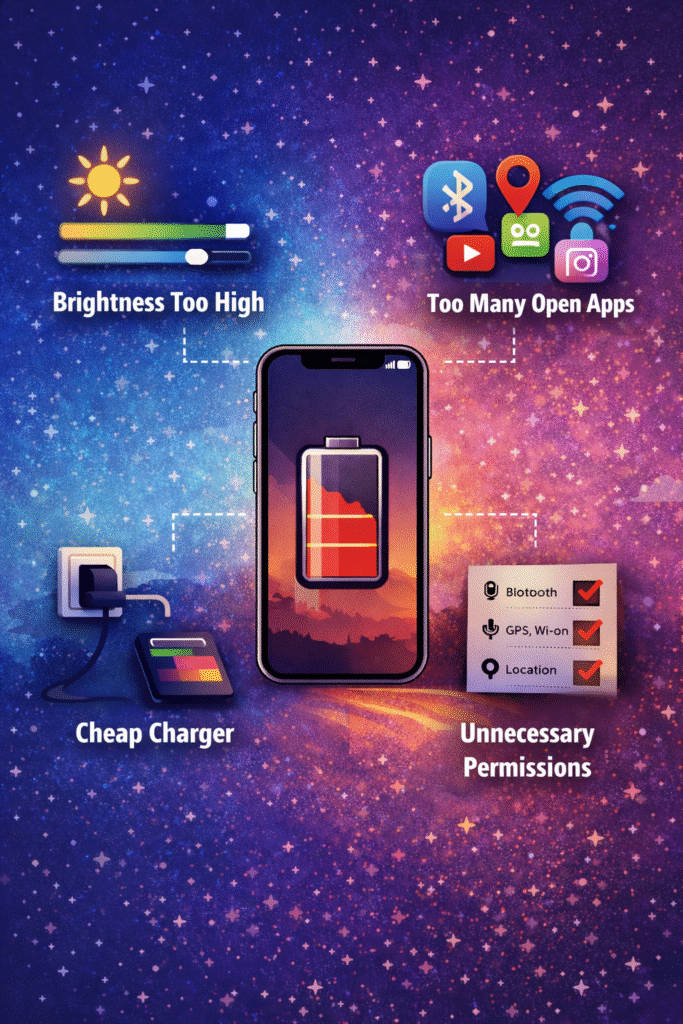
One of the biggest reasons behind fast battery drain is not just the phone, but how we use it in our daily lives. Many people keep apps like Instagram, YouTube, or games running in the background and never properly close or restrict them, thinking it doesn’t matter. In reality, these apps continue to refresh content, send notifications, and consume battery silently. Another common mistake is keeping brightness too high all the time, even indoors, which puts extra load on the battery. Similarly, leaving Bluetooth, Wi-Fi, or GPS turned on when not needed is like leaving lights on in an empty room; it wastes power without any benefit.
A very common real-life mistake happens at night. People charge their phone, turn off the screen, but keep mobile data, location, and all apps active. By morning, the battery drops significantly. Some users also install too many apps or give unnecessary permissions, allowing apps to run freely in the background. Ignoring software updates and using low-quality chargers can also affect battery performance over time. These small habits may seem normal, but together they create a big impact, causing your battery to drain faster than expected. If you want to save your battery, the first step is to fix these daily mistakes.
HOW TO FIX:
Now imagine you’re a working person whose daily tasks depend on your phone. This battery drain problem can affect your work and even create stress. So you decide to fix it. When you search for it, you realize that this issue is not as big as it seems; it can be solved with a few smart changes in your daily habits. Just like saving fuel in a bike depends on how you ride it, saving battery power depends on how you use your phone.
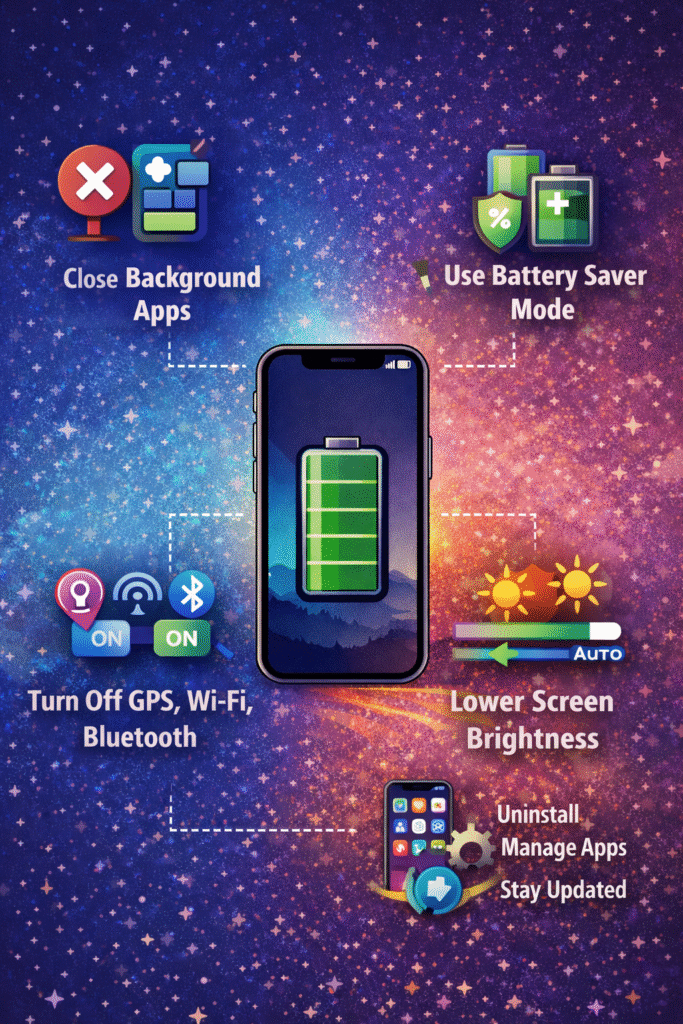
Start by controlling background apps. Go to your settings and restrict apps like Instagram, Facebook, or games from running unnecessarily. If you only use an app a few times a day, there’s no need for it to refresh every minute. Also, turn off features like Bluetooth, GPS, and Wi-Fi when you’re not using them. It’s like switching off lights in empty rooms or turning off your bike engine when you reach your destination, simple steps that save power without any extra effort.
Another important step is managing your network and display. In low-signal areas, switch to airplane mode or use Wi-Fi so your phone stops constantly searching for signals. Reduce screen brightness or use auto-brightness, since the display is one of the biggest battery consumers. At night, use battery saver mode or turn off mobile data to reduce background activity. Keep your apps updated and uninstall the ones you don’t use, because even unused apps can drain battery silently. By making these small but smart changes, you’ll see a clear improvement. Your battery will last longer, and you won’t face that frustrating situation of losing power without even using your phone.
CONCLUSION:
If your phone battery is draining fast, the good news is that you can fix it with a few smart changes in your daily habits. Just like saving fuel in a bike depends on how you ride it, saving battery power depends on how you use your phone. By understanding the real reasons and correcting simple mistakes like controlling background apps, turning off unnecessary features, and optimizing settings, you can easily improve your battery life. Battery drain is a common problem, but it’s not a big one; it just needs a little attention and awareness. Once you improve these small habits, you’ll see a big difference in your phone’s performance and battery life.
KNOW MORE:
INTERNAL LINKS:
https://techman.live/what-is-cache-in-phone-and-how-it-makes-your-apps-faster/
https://techman.live/top-5-free-tools-every-student-should-use/
EXTERNAL LINKS:
https://www.asurion.com/connect/tech-tips/5-ways-to-minimize-android-battery-drain/