
INTRODUCTION:
Imagine your train is late, and you start scrolling through your phone to pass the time. After a while, your mobile data runs out. Just then, a network appears named “RailWire_Free_WiFi.” You assume it’s provided by the railway for passengers, so you happily connect without verifying anything. The internet works perfectly. You check your email, log into your accounts, and even spot a limited-time offer on a shopping app. Excited, you enter your account and payment details to finally buy something you’ve wanted for a long time. Everything feels smooth and safe, and you walk away thinking you got the best deal using free internet.
But what you don’t realize is that the WiFi wasn’t actually from the railway station; it was coming from somewhere else. Someone nearby was silently watching your activity, tracking every click, every login, and even your personal and banking details. You thought you were using free data, but in reality, nothing comes truly free; you may end up paying with your privacy. In just a few minutes, your entire digital life could be exposed. So the real question is: how can you tell if a WiFi network is fake, how can you stay safe, and what exactly can hackers see when you connect? In this article, we’ll break down all of this with simple examples so you can protect yourself.

HOW HACKERS DO:
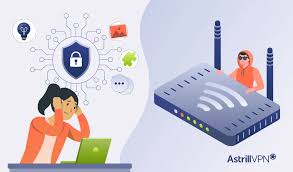
Today, almost everything is done digitally, making life faster and more convenient, but it has also made things easier for hackers. They no longer need highly advanced tools or skills; instead, they rely on simple psychological tricks to gain people’s trust. One common method is offering fake free WiFi networks with names that sound official, like “Free_Cafe_WiFi” or “Railway_Free_Net.” These networks are often set up in public places such as cafés, railway stations, or malls. The moment you connect, your internet traffic starts passing through the hacker’s system instead of a secure router. Everything appears normal and fast, so you don’t suspect anything, but in reality, your data may already be monitored and recorded.
Another common technique is called a man-in-the-middle attack, where the hacker secretly positions themselves between you and the website you’re trying to access. You think you’re communicating directly with the website, but all your activity actually passes through the attacker first. This allows them to see what you’re doing, capture sensitive information, or even modify the data before sending it forward. In addition, hackers may use packet sniffing tools to capture small pieces of data traveling across the network. If the connection isn’t properly encrypted, these packets can reveal usernames, passwords, emails, and browsing activity without you ever realizing it.
In more advanced cases, hackers may create fake login pages that look exactly like real ones. For example, after connecting to free WiFi, you might open a social media site and be shown a login page that appears completely genuine. When you enter your details, they are sent directly to the attacker instead of logging you in. Some attackers even go further by injecting malware into your device through the network, causing slow performance, strange pop-ups, or continuous data theft in the background. The most dangerous part is that there are usually no warning signs; everything seems to work perfectly while your personal information is quietly exposed.

WHAT HACKERS CAN ACTUALLY SEE:
YOUR LOGIN DETAILS
Imagine a boy named Ankit sitting in a café, waiting for his friend. To pass the time, he starts scrolling through social media. His mobile data is slow, so he quickly connects to the café’s free WiFi without thinking much about it. Everything seems normal, the internet is fast, apps are working smoothly, and there are no warning signs. He opens his social media app and enters his username and password, trusting that the connection is safe. But what Ankit doesn’t realize is that the network is not secure. A hacker on the same WiFi is silently monitoring the traffic, and at that moment, Ankit’s login details are captured without any visible sign.
A few hours later, when Ankit tries to log in again, something feels wrong; his password no longer works. Confused and worried, he checks his email and finds alerts about suspicious activity. By the time he understands what happened, it’s already too late. The hacker has taken control of his account, changed the password, and started posting fake content. Messages are even sent to his friends asking for money, making it look like Ankit is in trouble. His identity is misused, his reputation is affected, and it takes days to recover his account. It’s important to understand that hackers usually don’t get full control of your phone just through WiFi, but they can steal your personal data, passwords, and access your accounts, which is already dangerous enough.
YOUR BANKING AND PAYMENT IMFORMATION
Hackers can sometimes access sensitive information like your banking or payment details if you use an unsafe public WiFi network. This can lead to financial loss or even bigger problems. To understand this, imagine a boy named Rohit standing at a crowded railway station. The line for tickets is very long, so he decides to book his ticket online. His mobile data is slow and the page isn’t loading, so he turns on WiFi and sees a network named something like “Free Railway WiFi.” Without thinking much, he connects to it, believing it’s official. The internet becomes fast, and everything seems normal. He opens his payment app, enters his card details, types the OTP, and successfully books his ticket. But in reality, that network was controlled by a hacker, and his sensitive information may have been exposed during the process.
A few days later, Rohit starts receiving unexpected bank alerts. Small amounts are being deducted from his account without his permission, and the transactions keep increasing. By the time he realizes something is wrong and contacts the bank, he has already lost a significant amount of money. His card has to be blocked, and recovering the money takes time and causes stress. Situations like this don’t always mean hackers “take over your phone,” but they can intercept data on insecure networks or trick you into entering details on unsafe pages. This is why you should always avoid using free, unknown WiFi for payments or sensitive activities because one quick decision can turn into a serious financial problem.
YOUR BROWSING ACTIVITY
Yes, hackers can sometimes observe your browsing activity on unsafe public WiFi, analyze your behavior, and use it to trick you. To understand this, imagine a girl named Simran who uses free WiFi every day at her college. During breaks, she casually browses websites, watches videos, and scrolls through content. She is careful she avoids logging into sensitive accounts and never enters passwords, so she believes she is completely safe. Since everything loads quickly and there are no warning signs, she continues using the same network regularly without any doubt.
But what Simran doesn’t realize is that even normal browsing sends data across the network, and on an unsecured WiFi, parts of that activity can still be visible. Over time, a hacker on the same network starts observing patterns of what type of content she watches, which websites she visits, and when she is most active. Slowly, a profile of her habits and interests is built. Using this information, the hacker can create very convincing scams, fake offers, or phishing messages that feel personal and trustworthy. Simran may think she is safe because she never shared passwords, but her digital behavior itself has become a target. This shows that even simple browsing on free WiFi can expose more than expected, and staying cautious is important because risks often come without warning.
YOUR PERSONAL FILES AND DEVICE ACCESS
Imagine a boy named Vikas staying at a hotel during a short trip. To relax, he connects to the hotel’s free WiFi and starts watching videos, scrolling through apps, and checking files on his phone. Everything feels normal. He isn’t entering passwords or doing anything “important,” so he believes there is no real risk. What he doesn’t realize is that his phone’s file sharing is turned ON, silently exposing his device to anyone on the same network.
Suddenly, things begin to change. Unknown activity starts happening in the background files are being accessed, photos are copied, and private data is quietly transferred without his knowledge. A hacker on the same WiFi network takes advantage of this open door and gains control over parts of his device. Vikas feels confused and helpless as he notices unusual behavior, but by the time he understands something is wrong, the damage is already done, his personal data has been stolen and spread online.
The next day, his fear turns into panic when he receives a threatening message. The hacker warns him that his private photos and videos will be exposed unless he follows their demands. Vikas feels trapped, scared, and regrets ever connecting to that free WiFi without caution. This situation shows how even simple actions, like using unsecured public WiFi without proper settings, can lead to serious consequences, turning a normal day into a nightmare.
HOW TO STAY SAFE ON FREE WIFI:
AVOID LOGGING INTO IMPORTANT ACCOUNTS
Sometimes using public WiFi becomes unavoidable, but you can still protect yourself by being careful. It’s best to avoid logging into sensitive accounts like banking apps, payment websites, or any platform that stores personal or financial information. Even if the network looks secure and fast, you never truly know who else is connected or whether someone is secretly monitoring the traffic. Taking a moment to think before you act can help you avoid falling into these hidden traps.
If something important requires you to access such accounts, it’s safer to switch to your mobile data instead. Mobile networks are generally more secure than public WiFi, and this small step can significantly reduce the risk of your personal information being exposed or misused. Staying alert and making smart choices is the key to keeping your data safe.
ALWAYS CHECK FOR HTTPS
Whenever you are about to enter your details on a website, whether it’s for login, payment, or any personal information, always check the address bar first. If the website starts with “HTTPS” and shows a small lock icon, it means the connection is secure. This might seem like a small detail, but it plays a major role in protecting your data. HTTPS ensures that the information shared between your device and the website is encrypted, making it much harder for hackers to intercept or misuse it, especially on public WiFi.
That’s why it’s important to prefer websites that have these security features. Before typing anything sensitive, pause for a second and look for the lock icon in the address bar. This simple habit can act as your first line of defense, helping you stay safe and avoid serious privacy risks while browsing online.
DISABLE AUTO-CONNECT TO WIFI
When you’re out in public and turn on WiFi, your phone may automatically connect to a free network. At first, it feels like luck you found free internet without any effort. But this can be very risky. Hackers often create fake WiFi networks that look like real ones, using names similar to railway stations, cafes, or public services. Without realizing it, you might connect to one of these unsafe networks. Once connected, your personal data, like passwords, emails, or banking details, can be exposed and easily stolen.
To stay safe, you should turn off the auto-connect option in your WiFi settings. This simple step forces you to manually choose a trusted network every time, reducing the risk of connecting to a fake hotspot. Free internet is not always a benefit; it can cost you much more than you expect. It’s not about getting free access; it’s about protecting what you could lose. Staying cautious is always smarter than taking unnecessary risks.
LOG OUT AFTER USE
Once you’ve finished your important work, always make sure to log out instead of just closing the app or browser. Many people assume that closing a tab is enough, but in reality, your session can remain active in the background. On shared or unsecured networks, this increases the risk of someone accessing your account without your permission. Logging out properly ends your session, making it much harder for anyone else to gain access. It’s a small habit, but especially important when using public WiFi or shared devices. Taking a few extra seconds to log out can protect your personal data, accounts, and privacy from unnecessary risks.
USE A VPN
Sometimes, it’s hard to remember every safety trick while using the internet, especially on public WiFi. That’s why using a VPN is one of the smartest decisions you can make. A VPN (Virtual Private Network) creates a secure, encrypted tunnel for your internet traffic, which means your data is protected before it even leaves your device. Even if a hacker is connected to the same network and tries to monitor your activity, they will only see unreadable, scrambled data instead of your real information. This adds a powerful layer of protection when you’re browsing, checking emails, or using apps on unsecured networks. Trusted apps like Proton VPN and NordVPN are popular choices that help keep your connection private and secure. Once you turn on a VPN, it works quietly in the background without affecting your normal usage too much. While it doesn’t make you completely immune to hackers, it significantly reduces the risk and keeps your data much safer.

Conclusion:
In conclusion, while public WiFi may seem convenient and even necessary, it comes with serious hidden risks. Networks that appear safe and fast can actually expose your personal data, emails, and account details to hackers. The most dangerous part is that these attacks often happen silently, without any warning signs, so everything feels normal while your information is being stolen. In today’s digital world, even one careless connection can lead to major consequences.
The good news is that staying safe doesn’t require expert knowledge, just a few smart habits. Avoid logging into sensitive accounts on public WiFi, always check for secure (HTTPS) websites, consider using a VPN, and stay aware of the networks you connect to. Your data is valuable, so the next time you see “Free WiFi,” don’t rush; take a moment to think about how you can protect yourself from serious problems later.
KNOW MORE:
INTERNAL LINKS:
https://techman.live/are-app-permissions-safe-what-you-need-to-know/
https://techman.live/why-your-phone-battery-drains-fast-even-when-youre-not-using/
EXTERNAL LINKS: